cookbook



A field guide to infrastructure and AI tooling, written so a newcomer can go from "what is this" to running it themselves — and so a returning reader can jump straight to the one command they forgot. Every topic pairs prose notes with a runnable example, and every example is checked in CI on every change: linted, schema-validated, or actually built/applied/deployed against a real target. Nothing here is stale by construction — if an example stops working, the badge above goes red.
🎮 Play the games and read the notes: https://xudipta.github.io/cookbook/
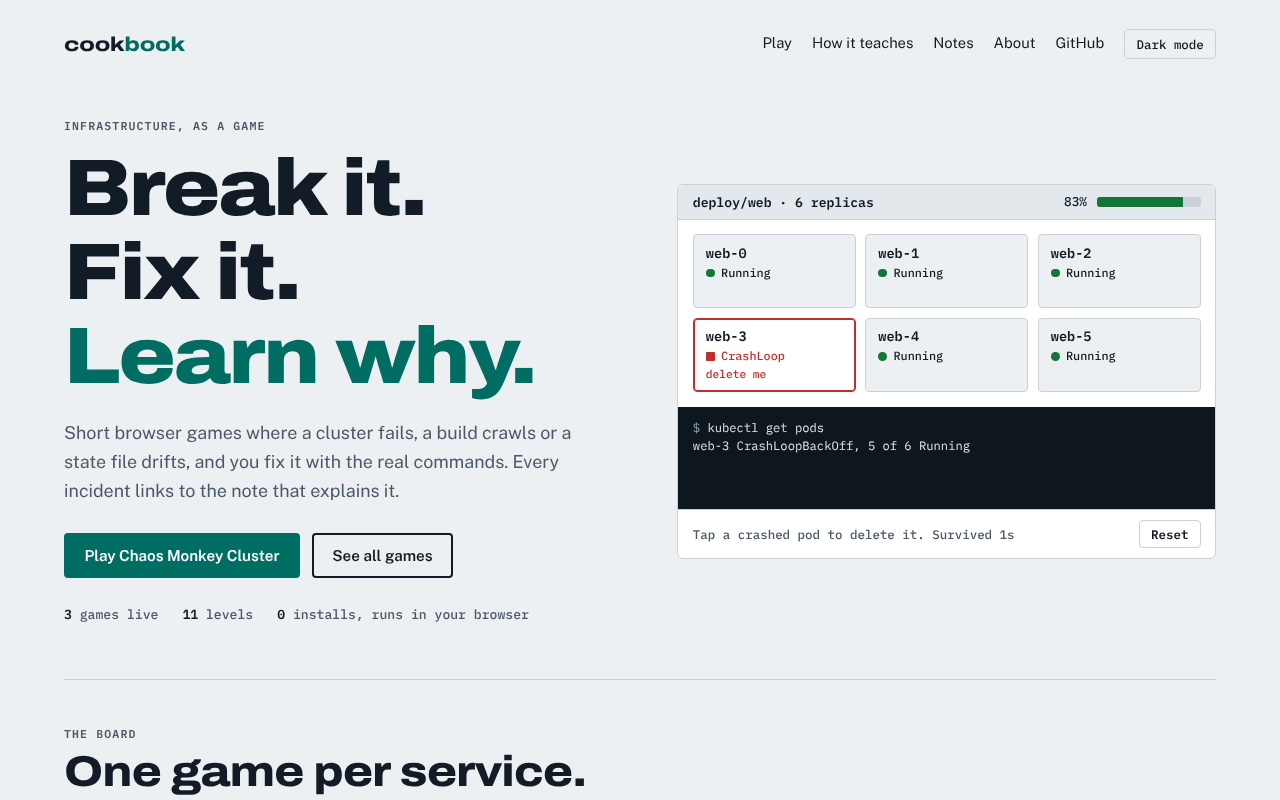
The home page: a playable incident, and a board with one game per topic.
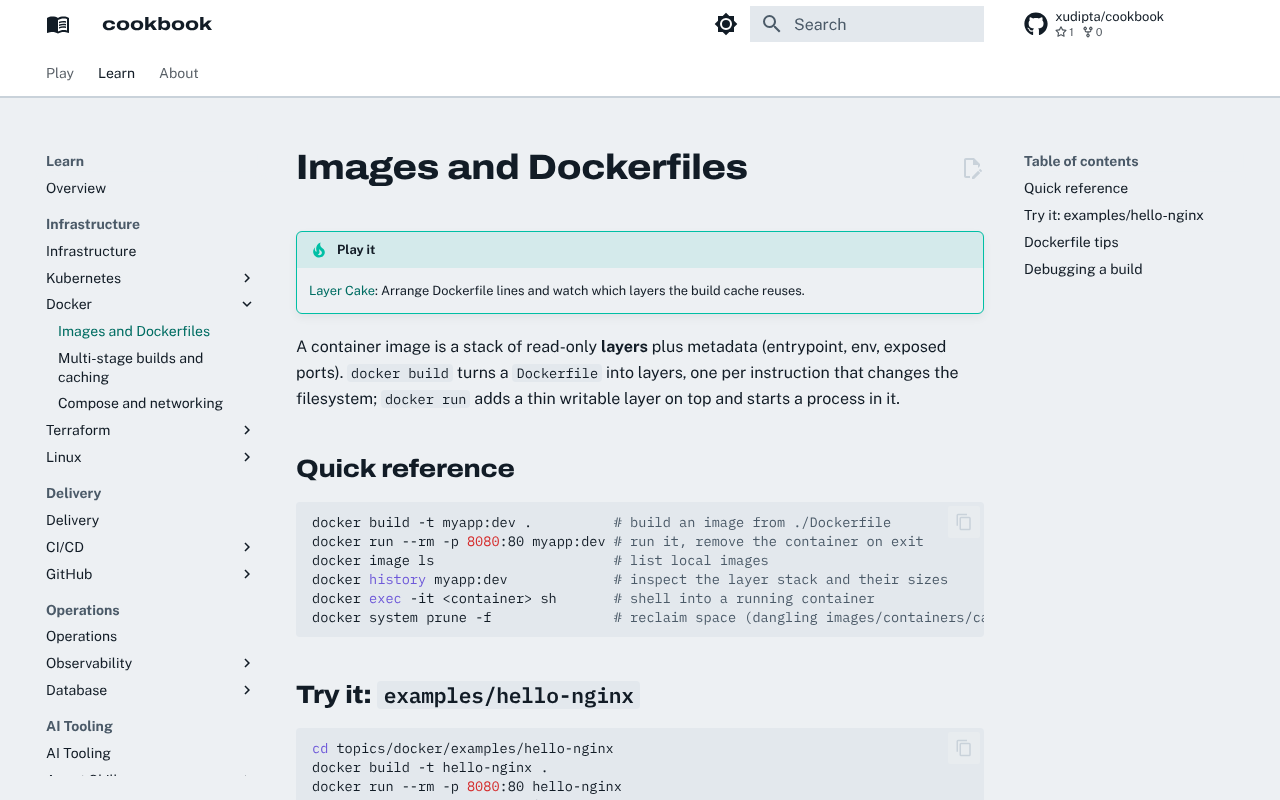
A note page. Topics with a game link to it from the top of every page:
About this project
I kept hitting the same two problems with my own notes on these tools: the examples
rotted the moment the underlying tool changed, and reference material scattered across
separate files/gists/wikis with no good way to check I hadn't quietly broken one. This
repo is my answer — every topic pairs prose with a runnable example, and every example
is wired into CI, not just linted but actually built, applied, or deployed against a
real target (kind, a real Postgres, a live Terraform apply). If an example breaks, the
badge above goes red; nothing here can go stale without me noticing.
Beyond the reference content itself, it's also where I practice the engineering habits I care about on real infrastructure code: path-filtered CI so a docs-only change doesn't spin up a cluster, small reviewable PRs with their own test plan, docs-as-code (the GitHub Pages site is generated from the same files you're reading), and treating "the example actually runs" as a release gate rather than a nice-to-have.
It's written for two readers at once: someone new to a topic, who should be able to go from the Quickstart to a working example in a couple of minutes; and future me, who mostly just needs the one command I forgot.
What's here
flowchart TD
    Cookbook(["cookbook"])

    Cookbook --> Infra["Infrastructure"]
    Cookbook --> Delivery["Delivery"]
    Cookbook --> Ops["Operations"]
    Cookbook --> AI["AI tooling"]

    Infra --> K8s["Kubernetes"]
    Infra --> Docker["Docker"]
    Infra --> TF["Terraform"]
    Infra --> Linux["Linux / Shell"]

    Delivery --> CICD["CI/CD"]
    Delivery --> GH["GitHub / Git"]

    Ops --> Obs["Observability"]
    Ops --> DB["Database / SQL"]

    AI --> Skills["Agent Skills"]
AI --> MCP["MCP"]| Topic | Path | What's validated |
|---|---|---|
| Kubernetes | topics/kubernetes/ |
yamllint, kubeconform, helm lint, kubectl kustomize, kind deploy + Service curl test |
| Docker / Containers | topics/docker/ |
hadolint, live build + run + curl smoke test |
| Terraform / IaC | topics/terraform/ |
terraform fmt -check, tflint, live init/apply/destroy |
| Linux / Shell | topics/linux/ |
shellcheck, live backup.sh smoke test |
| CI/CD | topics/cicd/ |
actionlint on example workflows |
| GitHub / Git | topics/github/ |
yamllint on the issue form, shellcheck on the gh script |
| Observability | topics/observability/ |
promtool check config/rules, jq on the Grafana dashboard |
| Database / SQL | topics/database/ |
sqlfluff lint, live migrate up+down against real Postgres |
| Agent Skills | topics/skills/ |
scripts/check_skill.py on every SKILL.md |
| MCP | topics/mcp/ |
jq syntax check on example configs |
Markdown across the whole repo is checked with markdownlint. Each topic's own README
has a "New here? Start with..." pointer and a diagram of what the topic actually is —
open one and go.
See it all together: topics/capstone/ chains Docker,
Kubernetes, Observability, and CI/CD into one walkthrough — building a service, deploying
it, scraping a real metric off it, and automating the whole thing — instead of leaving
you to infer how the topics connect.
Layout
topics/<topic>/
  README.md              # what the topic covers, a diagram, a quickstart, and how it's validated
  notes/NN-*.md          # prose notes, numbered in reading order
  examples/<name>/       # runnable files (manifests, Dockerfiles, scripts, .tf, ...)
docs/<category>.md       # a landing page for a group of topics (Infrastructure, Delivery, ...) in the docs site nav
docs/games/<game>/       # a browser game for the site's Play section (see CONTRIBUTING.md)
docs/games/games.json    # the games on the home page's board
docs/site/               # the home page and the shared design tokens
How validation works
A single workflow, .github/workflows/validate.yml, runs
on every push and PR to main. A changes job detects which topics/file types were
touched and runs only the relevant validators, so a docs-only change doesn't spin up a
kind cluster or a Postgres container. trivy.yml additionally scans the repo for known
vulnerabilities.
Docs site
pages.yml publishes the site to https://xudipta.github.io/cookbook/ on every push to
main: the games-first home page (docs/site/), the browser games under Play, and the
topic READMEs and notes under Learn (MkDocs Material, with Mermaid diagrams rendered
inline). scripts/build_docs.sh assembles site-src/ from the topic tree, adding a Play
banner to the notes of every topic that has a game; validate.yml strict-builds it on every
docs change.
Local checks
make venv       # one-time: create ./venv with the tooling
make lint       # yamllint all YAML
make lint-md    # markdownlint all Markdown (needs npx)
make format     # normalise YAML formatting
make docs-serve # preview the docs site at http://localhost:8000
Adding a topic
See CONTRIBUTING.md.
Changelog
See CHANGELOG.md — generated from this repo's own merged PR history,
a real usage example of topics/skills/examples/release-notes/.
License
MIT — copy, adapt, and reuse any note, manifest, or script here.